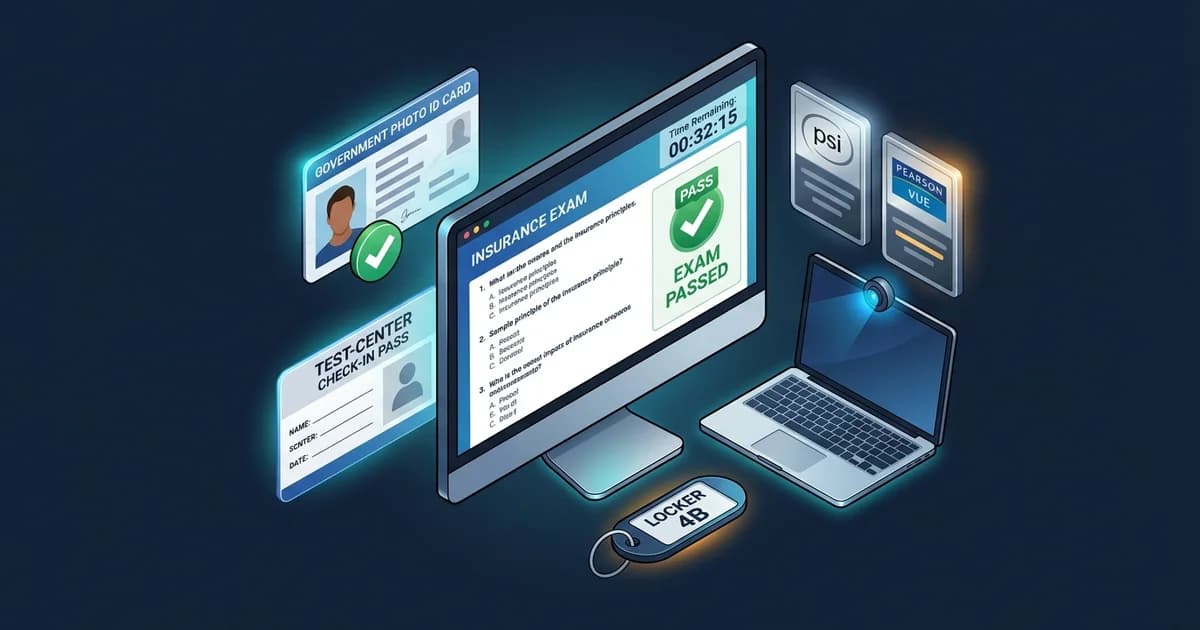
Your current state insurance licensing authority and its Candidate Information Bulletin (CIB) control the requirements for your specific exam. PSI, Pearson VUE, and Prometric procedures can differ by sponsor, jurisdiction, exam program, and delivery method. Use this guide as a test-day preparation framework, then verify the current bulletin for your appointment.
Quick Test-Day Snapshot: What You Must Know in Advance
Whether testing at a physical Pearson VUE or PSI examination center or testing remotely from home, candidates who pass avoid logistical surprises by confirming these eight operational checkpoints before test morning:
Verify your exact exam date, start time, time zone, and delivery format (testing center address or remote online proctoring portal) on your booking receipt.
Confirm that the legal name on your exam appointment matches the exact name on your government-issued identification cards. Discrepancies cannot be fixed at check-in.
Download the latest state-specific Candidate Information Bulletin to confirm question counts, allowed materials, and specific local test-day instructions.
If testing remotely, run the provider's technical diagnostic days in advance. Test your webcam, microphone, internet stability, and personal computer compatibility.
Arrive at testing centers or log in to remote proctoring portals according to your appointment instructions (commonly 15 to 30 minutes early). Late arrivals forfeit fees.
Personal electronics, wristwatches, smartwatches, study notes, coats, and personal calculators are commonly banned from testing rooms and workstations.
Learn whether your program provides immediate on-screen pass/fail results, physical printed score slips, or delayed online portal notifications.
Keep provider customer service phone numbers and your state licensing department contact info accessible outside the testing area in case issues arise.
The state/sponsor bulletin for your specific exam beats a general PSI or Pearson VUE rule.
PSI vs. Pearson VUE: Master Operational Comparison
Most state departments of insurance contract with private third-party examination vendors to administer licensing tests. The two largest administrators nationwide are PSI Services LLC and Pearson VUE. While both organizations maintain high exam integrity and standardized testing environments, their technical platforms, check-in conventions, and security workflows have notable differences:
Table 1: Operational Comparison of Major Insurance Exam Administrators
| Operational Feature | PSI Services LLC | Pearson VUE | Candidate Verification Point |
|---|---|---|---|
| Role of Vendor | Appointed testing contractor delivering exams for state insurance departments | Appointed testing contractor delivering exams for state insurance departments | State Department of Insurance contract |
| Appointment Scheduling | Online via PSI portal or telephone customer service | Online via Pearson VUE web account or phone support | Appointment confirmation email |
| Test-Center Delivery | Network of dedicated PSI Assessment Centers and affiliated sites | Network of Pearson Professional Centers (PPCs) and Authorized Centers | Location directions on booking confirmation |
| Remote Delivery Availability | Commonly offered via PSI Bridge / secure browser in authorized states | Commonly offered via Pearson VUE OnVUE platform in authorized states | State bulletin (some states require in-person only) |
| Identification Requirements | Typically one valid government photo ID with signature (sponsor rules control) | Many programs require two IDs (one primary photo ID + one secondary ID) | Current Candidate Information Bulletin (CIB) |
| Security Procedures | Digital photo, digital signature, pocket check, locker storage | Digital photo, digital signature, palm-vein scan at select PPCs, locker storage | Testing center staff instructions |
| Remote System Check | PSI secure browser diagnostic test for webcam, audio, and internet | OnVUE system check for microphone, webcam, download speed, and OS | Run test 48 hours prior on exam computer |
| Scratch-Work / Calculators | Commonly provides on-screen calculator; erasable sheet or paper upon request | Commonly provides on-screen calculator; erasable marker booklet at centers | Personal calculators generally prohibited |
| Break Policies | Unscheduled breaks continue the clock; remote exams commonly ban breaks | Unscheduled breaks continue the clock; remote exams commonly ban breaks | State candidate bulletin break rules |
| Score & Result Delivery | Immediate on-screen result; printed score slip at center; portal access | Immediate on-screen result; printed score slip at desk; online account access | Electronic score feed sent to state DOI |
| Rescheduling & Cancellation | Commonly requires 2 business days notice (subject to state contract terms) | Commonly requires 48 hours notice (subject to state contract terms) | Appointment modification policy in CIB |
Some insurance licensing programs use Prometric rather than PSI or Pearson VUE. The same principle applies: the state/sponsor's current instructions control. While Prometric operates its own ProScheduler portal and ProProctor remote monitoring platform, core operational security requirements—such as unexpired photo IDs, prohibited electronics, and timer rules—are closely aligned across all professional testing administrators.
Before Exam Day: The 48-Hour Preparation Window
The forty-eight hours leading up to your insurance licensing appointment are critical for administrative preparation. Most candidates who face refusal at testing centers or disqualification during remote check-in do so because of preventable administrative oversights. Follow this preparation protocol:
Do not rely on secondhand advice from online forums. Download the current official CIB directly from your state Department of Insurance website or testing administrator portal. Confirm your specific line of authority (e.g. Life-Only, Accident & Health, Combined Life & Health, or Property & Casualty) and review question weights.
Double-check your appointment confirmation email. Pay special attention to the listed time zone if scheduling remote testing across state lines. If testing in person, map your driving route, research building parking, and plan for traffic delays.
Your legal name on your exam appointment must match your identification documents. If your name recently changed due to marriage or court order, or if an employer typo occurred during registration, contact the provider or state licensing department immediately. Testing center proctors have zero discretion to alter names on test morning.
If taking an online proctored exam, perform the technical system diagnostic on the exact computer, webcam, and internet connection you plan to use. Crucially, avoid using employer-issued corporate laptops: enterprise security software, VPNs, and firewalls frequently terminate proctoring streams unexpectedly.
In many states, prelicensing education providers transmit completion certificates electronically to state databases (such as Sircon or NIPR) before you can schedule. In other jurisdictions, you may be required to bring a signed, original paper certificate of course completion to the testing center. Always check your appointment confirmation email to verify if educational paperwork is required at check-in.
Identification Standards: Primary vs. Secondary IDs
Identification policies are strictly enforced by testing vendors to prevent proxy test-taking and licensing fraud. Proctors are required by state licensing contracts to turn away candidates whose identification fails to satisfy exact sponsor standards. Review common identification categories:
Table 2: Common Identification Documents & Acceptance Criteria
| ID Category | Common Acceptable Examples | Mandatory Criteria | Common Unacceptable Items |
|---|---|---|---|
| Primary ID | Driver's License, State ID Card, U.S. Passport, U.S. Military ID, Permanent Resident Card | Current (unexpired), government-issued, recognizable photo, physical signature | Expired ID (even by 1 day), temporary paper permits without photo, digital mobile driver's licenses |
| Secondary ID (When Required) | Debit/Credit Card with preprinted name and signature, Social Security Card, Employee Badge | Preprinted legal name matching primary ID exactly, valid physical signature | Unsigned credit cards, handwritten business cards, library cards, student IDs |
Never rely on an ID rule remembered from another state or another testing program. While some state programs require only one primary government photo ID, many Pearson VUE jurisdictions and select state programs mandate two distinct forms of identification. If you arrive with only one ID at a two-ID testing center, you will be turned away and forfeit your exam fee.
Digital ID Caution: Do not plan to present a digital driver's license on a smartphone (such as Apple Wallet or state digital identity apps). Testing center security policies strictly prohibit personal smartphones in check-in areas, and electronic screen displays are not accepted as physical ID documents.
In-Person Testing Center Check-In & Security Screening
Testing centers operate under standardized proctoring protocols to ensure fair conditions for all test takers. Knowing the exact sequence of events upon entering the facility helps lower stress on test morning:
The Typical 8-Step Testing Center Process
Arrive according to appointment instructions (commonly 30 minutes early). Arriving late forfeits your testing slot and fee.
Present unexpired identification meeting your sponsor's exact one-ID or two-ID requirements.
Sign the candidate attendance roster and agree to test vendor security rules and non-disclosure agreements.
Capture a digital headshot photo and electronic signature. Select centers may capture palm-vein scans.
Empty pockets completely, pull pockets inside-out, roll up sleeves, lift pant legs, and submit eyeglasses for inspection.
Place phones (turned off), watches, wallets, keys, and jackets inside an assigned secure locker.
Receive authorized scratch materials (erasable marker booklet or whiteboard) and locker key before entering room.
The proctor escorts you to your assigned workstation, logs into the testing software, and begins your session.
Security practices vary by facility layout and regional jurisdiction. While palm-vein scanners are common at Pearson Professional Centers, not all Pearson Authorized Test Centers or PSI partner sites use identical biometric hardware. Always follow the specific verbal directions provided by on-site test administrators.
Remote Online-Proctored Testing: OnVUE vs. PSI Bridge Concepts
Many state licensing authorities now allow candidates to take insurance examinations from home or office via remote proctoring software, such as Pearson VUE OnVUE or PSI Bridge. Remote testing offers geographic convenience, but trades it for strict technical requirements and vigilant proctor surveillance:
You must test in a completely private, walled room with a closed door. Your desk must be completely clear of all papers, books, pens, calculators, and clutter. Dual monitors are strictly prohibited; external monitors must be physically unplugged and turned away or removed. Whiteboards on walls must be wiped clean or covered.
During check-in, you will use your mobile phone or webcam to photograph your government ID and take four photos of your testing space (front, back, left, right). The remote proctor inspects these photos and may ask you to pan your webcam around the room or under your desk before releasing your exam.
- Mumbling or Reading Questions Aloud: Remote proctors strictly enforce silence. Whispering or moving your lips while reading can be interpreted as transmitting questions to an unauthorized third party.
- Looking Away from the Screen: Repeatedly glancing at the ceiling, floor, or side of your room triggers a proctor warning. The proctor may pause your test and require a room rescan.
- Covering Your Mouth: Resting your chin in your hands or covering your mouth and nose is prohibited to ensure no concealed communication devices exist.
- Another Person Entering the Room: If a family member, roommate, or pet enters your testing area, your exam may be immediately terminated without a refund.
- Cell Phone Proximity: Once your mobile check-in is complete, your phone must be placed out of arm's reach. Touching your phone during an active session results in immediate termination.
Permitted vs. Prohibited Items: General Test-Day Rules
Test vendors enforce rigorous security lists to protect the integrity of licensing item banks. Remember that whether an item is permitted, prohibited, or provided depends on the specific testing program:
- Mobile phones, tablets, smart glasses, and electronic devices
- Wristwatches of any kind (smartwatches, fitness trackers, and analog watches)
- Personal study guides, flashcards, notebooks, and reference books
- Personal calculators (scientific, graphing, or standard handheld)
- Personal scratch paper, pens, pencils, and erasers
- Heavy coats, jackets, hats, hoods, scarves, and bulky outerwear
- Food, gum, drinks, and water bottles (unless pre-authorized under ADA)
- Computer workstation terminal, mouse, keyboard, and display monitor
- Built-in on-screen software calculator (typically 4-function)
- Physical basic 4-function calculator (provided only where sponsor rules specify)
- Erasable marker booklet or whiteboard with dry-erase marker
- Secure personal storage locker and locker key
- Noise-reducing headphones or foam earplugs (upon request at centers)
- Pre-approved medical items (inhalers, diabetic supplies under prior approval)
Do not assume every exam provides a physical handheld calculator, scratch booklet, or whiteboard. In remote online testing, physical scratch paper is strictly prohibited by many providers, requiring candidates to use an on-screen digital whiteboard. Always verify the exact calculator and note-taking provisions in your state's current candidate bulletin.
Exam Timing, Navigation Tools & Unscored Pretest Questions
Understanding the software interface helps you pace yourself calmly throughout the testing appointment. Knowing how the testing clock operates prevents panicked rushing:
Your total appointment window (e.g. 2.5 or 3 hours) often includes time for check-in, confidentiality non-disclosure agreements, and an introductory software tutorial. The actual examination timer begins only after you launch the test questions.
Most testing platforms permit you to flag questions for later review. A review screen summarizes answered, unanswered, and flagged questions. You can return directly to flagged questions before final submission.
Insurance licensing exams are scored based solely on the number of correct responses. An incorrect answer carries the same weight as a blank answer (zero points). Never leave a question blank—always select a choice before submitting.
Many examination programs embed unmarked, experimental "pretest" questions throughout the test. Testing vendors use these questions to gather statistical psychometric data for future exam forms. These experimental items do not count toward your final score, but they appear completely indistinguishable from real scored questions. If you encounter an unfamiliar question, do not panic—it may be an un-scored trial item.
Furthermore, most states report results as scaled scores rather than raw percentage points. A scaled score mathematically adjusts for minor variations in difficulty across different exam forms, ensuring that passing standards remain statistically equitable over time.
Break Policies: Emphasizing State and Delivery Variation
Break policies are an area of frequent student confusion. There is no single universal break rule across insurance examinations:
In most testing centers, breaks during insurance examinations are classified as unscheduled breaks. This means the examination countdown clock continues running while you step away. You must notify the proctor, present your ID upon exiting, sign a log sheet, and undergo security screening before re-entering. Accessing your locker, cell phone, or study notes during an unscheduled break is strictly prohibited and grounds for immediate score invalidation.
In remote online proctored exams, breaks are commonly prohibited entirely. Because proctors cannot monitor what happens off-camera, leaving the webcam field of view or stepping out of the room for even 60 seconds is treated as a security breach, resulting in automatic session termination and exam failure. Always plan ahead and use the restroom before initiating your remote check-in.
Do not assume that all in-person exams have unscheduled breaks or that remote exams never allow breaks under any circumstances. Certain multi-part combined examinations (e.g. Life & Health combined in specific states) may incorporate a formal scheduled break between exam components. Always review the break policy printed in your current Candidate Information Bulletin.
Scoring Mechanics, Results & Diagnostic Reports
Passing scores and reporting timelines are determined by each state licensing authority—not by the testing company. Understanding how scores are communicated helps candidates interpret their official results:
When a candidate achieves a passing score, the computer screen and printed score slip typically state only "PASS." Many state departments of insurance deliberately withhold the exact numerical score from passing candidates to prevent competitive agent ranking and emphasize that all licensed producers satisfy the required legal baseline.
Candidates who do not pass typically receive an official diagnostic score report showing their overall scaled score and percentage performance across specific content domains (e.g. "General Insurance: 82%" vs. "State Statutes: 58%"). This report provides an exact blueprint for targeted study before retaking the test.
While many jurisdictions administered by Pearson VUE, PSI, and Prometric establish a passing threshold of 70% scaled score, passing standards are jurisdiction-specific. For example, the California Department of Insurance (CDI) sets the passing threshold at 60% on producer exams administered by PSI Services, while select other state programs set passing thresholds at 75%.
Use the passing score printed in your current state/exam instructions—not a score remembered from another jurisdiction.
Rescheduling, Cancellation and No-Show Rules
Testing providers enforce strict advance notification windows for rescheduling or canceling appointments. Failure to modify an appointment within the contractual deadline results in forfeiture of the examination fee:
Table 3: Common Modification Windows & Retake Policies
| Policy Dimension | Common Provider Practice | Financial & Licensing Consequence |
|---|---|---|
| Standard Reschedule Deadline | Typically 48 hours (Pearson VUE) or 2 business days (PSI) before appointment | Appointment moved to new date without forfeiting fee |
| Late Cancellation / No-Show | Failing to give required notice, arriving late, or missing appointment | 100% forfeiture of exam fee; candidate must pay full fee to re-register |
| Emergency Excused Absences | Medical emergency, military orders, death in immediate family (with documentation) | Fee transfer or voucher granted if petition filed within 5–10 business days |
| Retake Cooling-Off Waiting Periods | Controlled by state licensing authority (varies from next-day to 30 days) | Some states enforce cooling-off periods after multiple failures (e.g. 3 attempts) |
Do not universally assume that every Pearson VUE exam allows 48-hour changes or that every PSI exam requires 2 business days. Some state insurance departments establish custom contractual rescheduling rules, holiday exceptions, or specific administrative fees. Always review your appointment booking receipt.
Technical Problems During Remote Testing: Step-by-Step Response
Technical glitches can happen during remote online proctoring sessions due to internet fluctuations, software freezing, or local computer crashes. If you experience a disruption during an OnVUE or PSI Bridge exam, follow this response protocol:
Do not immediately leave your testing area or reach for personal items. Keep your webcam line of sight clear so the proctor can verify you are not consulting unauthorized materials.
Alert your online proctor through the software chat window. If the video froze but audio works, speak clearly to request technical troubleshooting.
If the software terminates unexpectedly, relaunch the secure browser application as directed by provider instructions. Most platforms permit reconnection within a short grace window.
If the proctor or technical support cannot restore your session, request an official Incident / Case Number before closing the portal. You will need this case reference when contacting customer service.
Contact the testing provider's candidate support team to file a formal case report. Do not assume a free re-test is automatically issued; resolution depends on investigation of the system crash logs.
Five Interactive Scenario-Based Test-Day Traps
Test your understanding of test-day logistics against five realistic scenario traps. Click on each scenario to reveal the defensible answer, detailed explanation, and distractor breakdown:
Final Test-Day Checklist, Official Sources & Next Steps
Your state licensing authority's current Candidate Information Bulletin and your appointment instructions control when they differ from a general provider guideline.
Frequently Asked Test-Day Questions (FAQs)
Most state programs require at least one current, government-issued photo ID with your physical signature (such as a driver's license or passport). However, many Pearson VUE programs and specific states require two matching forms of ID. Always check your specific Candidate Information Bulletin.
Candidates are commonly advised to arrive exactly 30 minutes before their scheduled appointment time to complete identity verification, digital photo capture, and security screenings. Arriving after the check-in window closes forfeits your test.
Many states allow remote online proctoring via Pearson VUE OnVUE or PSI Bridge, but availability is state-specific. Some jurisdictions (such as Florida) mandate in-person testing at certified examination centers. Review your state's licensing portal to verify if remote testing is approved.
If your computer or internet connection fails technical checks at appointment launch, you may be marked as a no-show and forfeit your fee. This is why testing providers explicitly instruct candidates to run system diagnostics days in advance on the computer they intend to use.
At in-person centers, restroom breaks are commonly unscheduled, meaning the exam timer keeps running while you step out. In remote online proctored exams, bathroom breaks are strictly prohibited by most vendors; leaving camera view terminates your test.
Most computerized insurance examinations display a pass/fail notification on screen immediately upon submitting. In-person centers typically print an official score slip at the proctor desk, and electronic results are transmitted to your state department of insurance within 24 to 72 hours.
Missing an appointment without giving required advance cancellation notice (typically 48 hours for Pearson VUE or 2 business days for PSI) results in a no-show forfeiture. You must register again and pay the full examination fee.
No. Testing vendors merely administer exams under state contract. Passing thresholds are determined solely by state insurance statutes and regulations (typically 70% in most states, or 60% in California for property and casualty broker-agents).
- Pearson VUE Candidate Rules Agreement: Standardized test-center security, identification guidelines, and OnVUE remote proctoring minimum technical specifications.
- PSI Services Candidate Information Bulletins (CIB): State-specific examination outlines, appointment scheduling timelines, and remote proctoring policies.
- National Association of Insurance Commissioners (NAIC): State licensing standards, producer licensing model guidelines, and continuing education frameworks.
- State Departments of Insurance: State-specific licensing examination passing thresholds, retake cooling-off periods, and fee schedules.
Practice with State-Calibrated Exam Simulators
Eliminate test-day anxiety by practicing under realistic timed conditions. Our question banks simulate the exact software navigation, question formats, and scoring mechanics used by Pearson VUE, PSI, and Prometric.